
The Creative Shift
Transforming My Approach to Content Creation
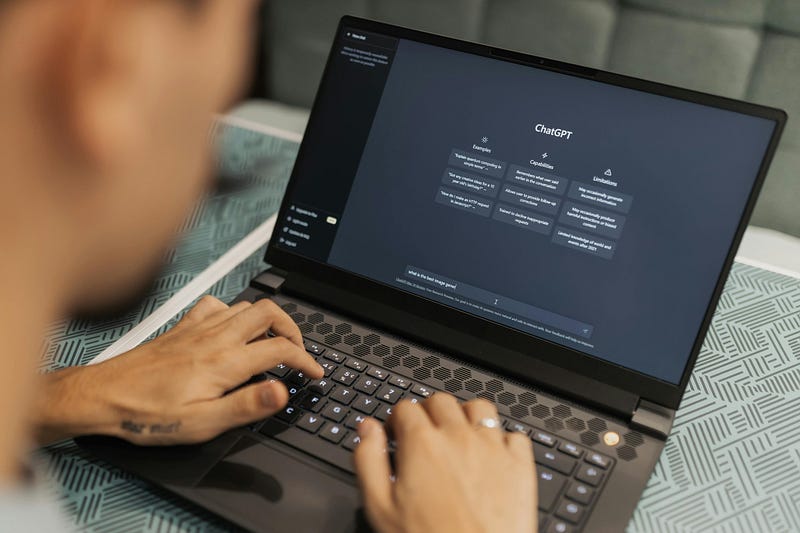
Two tools have dramatically reshaped the landscape for people like me — Canva and AI writing aids.
Not too long ago, Photoshop was the go-to for anyone wanting to design anything, but it required a steep learning curve and considerable time investment.
Fast forward to the present, and Canva has become the darling of content marketers, bloggers, educators, and virtually anyone looking to create eye-catching graphics without a degree in design.
On the writing front, AI tools have emerged as a potent ally for non-native English speakers, those less confident in their writing skills, or anyone pressed for time but in need of quality content.
Let me share my thoughts on how these two platforms have changed the game for me, offering empowerment and occasional ethical puzzles.
Canva – Design Democratized
Before Canva, the idea of crafting a professional-looking poster would send me into a mild panic.
My design skills were, let’s say, rudimentary at best.
Canva changed all that.
Intuitive and Inviting
Right off the bat, Canva felt welcoming.
Its drag-and-drop functionality, vast array of templates, and simple interface allowed me to create something visually appealing without prior design knowledge.
Suddenly, I was designing posters, social media graphics, and even branding materials with a newfound sense of confidence and creativity.
Creativity Unleashed
What’s remarkable about Canva is how it levels the playing field.
You don’t need to be an artist or a designer to create beautiful visuals.
The platform provides the tools and inspiration, allowing your ideas to take center stage.
It’s liberating, enabling me to communicate visually in ways I never thought possible.
AI Writing Tools: The Power of Language Unlocked
Moving on to AI writing aids, these tools have been nothing short of revolutionary for me, particularly as someone who doesn’t always easily find the right words.
Enhancing Expression
The AI doesn’t write for me; it writes with me.
I start with my thoughts, however chaotic, and the AI helps me refine them, suggesting better phrasing, correcting grammar, or even proposing new directions for my narrative.
It’s like having a collaborative partner who’s always ready to assist, guide, and improve.
Ethical Considerations
However, with great power comes great responsibility.
Using AI to enhance writing raises questions about authenticity and originality.
Where do my ideas end and the AI’s begin? I’ve come to view it as a tool, much like a thesaurus or an editor.
It enhances my voice without replacing it, ensuring my content remains genuinely mine.
Canva vs. AI: A Comparative Glance
While both Canva and AI writing tools have been game-changers, they serve different facets of content creation.
Here’s how they stack up against each other, in my experience.
User Empowerment
Canva empowers visually, breaking down complex design processes into simple, manageable steps.
AI writing tools empower linguistically, helping articulate thoughts more clearly and persuasively.
Both tools democratize their respective domains but do so in different realms — visual vs. verbal.
Creative Process
With Canva, I’m often inspired by the templates and design elements available, which spark ideas or take my projects in directions I hadn’t anticipated.
In contrast, AI writing feels more linear. It starts with my input and refines it toward a polished outcome.
Canva engages my visual creativity, while AI challenges and enhances my verbal expression.
Learning Curve
Canva’s learning curve is relatively flat, especially for basic tasks.
It’s about selecting, dragging, dropping, and tweaking.
On the other hand, AI writing tools require a deeper understanding of how to interact effectively with the technology, crafting prompts that elicit the best possible output.
Outcome Satisfaction
With Canva, I see the results instantly.
I know when a design clicks because it resonates visually.
With AI writing, the satisfaction is more nuanced, often requiring several iterations to feel “just right.”
It’s a more internal, reflective process, where I assess whether the words truly capture what I’m trying to convey.
Embracing the Tools of Today for Tomorrow’s Creations
Ultimately, both Canva and AI writing tools have transformed how I create content.
Canva has given me a visual voice, enabling me to design with confidence and flair.
AI writing aids have sharpened my words, ensuring my message is conveyed clearly and effectively.
While these tools provide incredible support, they also underscore the importance of maintaining a personal touch and authenticity in our creations.
Whether it’s a poster or a piece of prose, the essence of our individuality should always shine through.
Adapting to new technologies can be daunting, but my journey with Canva and AI writing tools has taught me the value of embracing change.
In a world where digital tools are increasingly integral to our creative expressions, being open to learning and adapting is key.
These technologies have the power to transform ordinary ideas into extraordinary creations, and I’m excited to be part of this transformative journey.
You can read this book “Canva: Professional Tips and Tricks When You Design with Canva (Step by Step Canva Guide for Work or Business with Pictures)” to design better pictures.
My perspectives about AI:
View at Medium.comView at Medium.comView at Medium.com
Discover more from Dr. Mazlan Abbas
Subscribe to get the latest posts sent to your email.

 Dr. Mazlan Abbas